Compress Image to 100KB
The world's most advanced AI-style smart compressor. Compress image to 100KB online free without losing quality, create JPG/JPEG files for forms, and optionally resize to 3.5 x 4.5 cm. Powered by iLovePDF Tools Hub Technology and processed privately in your browser.
Upload your Image
Drag & drop or click to browse (JPG, PNG, WebP)
Settings
AI will iteratively compress to reach this exact size or below.
Default is 3.5 x 4.5 cm, ideal for passport/photo upload portals. Conversion uses high DPI for clear JPG output.
Uses high-quality resampling, sharpening, contrast balancing, and 4K-safe processing when the selected KB limit allows it. For strict 100KB output, the engine prioritizes portal acceptance while preserving maximum possible clarity.
Live Preview & Results
Ready to Compress
Compress Image to 100KB Online Free Without Losing Quality
Looking for a fast, secure, and accurate way to compress image to 100KB online free without losing quality? iLovePDF Tools Hub gives you a modern browser-based image compressor made for real form upload requirements. Whether your photo is a large smartphone image, scanned document, ID proof, passport photo, signature, or JPG from a camera, this tool helps you reduce image size to 100KB for form upload without installing software, creating an account, or adding a watermark.
Many websites reject photos because the file is larger than their allowed limit. Government forms, exam portals, admission portals, banking KYC pages, job applications, scholarship websites, and passport photo upload systems often ask for a maximum size of 100KB. This page is designed around that exact search intent: jpeg to 100KB converter online free, compress photo to 100KB exact size, image compressor to 100KB free tool, and photo size reducer to 100KB without blur. The default target is 100KB, but you can also type any custom KB value if your portal allows a different limit.
World-Class AI-Style 100KB Compression Technology
This is not a simple low-quality slider. The tool uses an advanced AI-style browser engine with iterative quality testing, high-quality canvas rendering, smart downscaling, optional dimension control, and detail enhancement. In simple words, it checks the image, compresses it, measures the output, improves the quality if possible, and tries again until the result is under your chosen target. That is why it works as a practical compress image to exact 100KB online free solution for users who need dependable results quickly.
The iLovePDF Tools Hub compression workflow keeps privacy at the center. Your image is processed in your browser, so personal files do not need to be uploaded to a server. This matters when you are working with government ID photos, signatures, school documents, certificates, and private forms. You get fast local processing, instant preview, and a direct download button for the optimized image.
Why Compress an Image to 100KB?
A normal phone photo can be 2MB, 5MB, or even 15MB. A portal that accepts only 100KB cannot store or process such a large file. If you upload the original photo, the form may show errors like file too large, invalid image size, upload failed, or maximum file limit exceeded. A dedicated compress image below 100KB online tool solves this issue by reducing the file size before you upload it.
100KB is a popular limit because it is small enough for fast uploads but still large enough to keep passport photos, ID photos, document images, and signatures readable. Compared with 20KB or 50KB, a 100KB photo can usually preserve more detail, smoother face tones, better text edges, and fewer compression artifacts. That makes this tool ideal for people searching for resize image to 100KB without losing quality and reduce jpeg size to 100KB for government form.
Best Tool for Form Upload, Passport Photo, and Government Portals
Form upload systems are strict. Some accept JPG only, some accept JPEG and PNG, and some mention both file size and physical dimensions. Our interface supports JPG, PNG, WebP, and GIF inputs, while the recommended output is JPG because it is accepted by the widest range of older and modern portals. If your requirement says photo should be under 100KB, choose JPG, keep the target at 100KB, and click the compression button.
For passport-style images, you can keep the custom dimensions option enabled and use the default 3.5 x 4.5 cm frame, or edit the width and height if your application page mentions a different size. This makes the tool more useful than a basic compressor because it can act like an image resizer to 100KB free without watermark as well as a compressor. You can create a portal-ready image in one workflow instead of using separate apps for resizing, cropping, and compression.
Key Features of This 100KB Image Compressor
Exact 100KB Target
Set 100KB as the output target and let the engine search for the best quality under that limit. You can also enter 50KB, 150KB, 200KB, or any custom value.
Private Browser Processing
The compression runs locally in your browser. Sensitive images such as signatures, ID cards, and passport photos stay on your device during processing.
Resize + Compress Together
Use centimeter dimensions for form photos or disable dimensions to keep the natural image ratio. The engine then compresses the prepared image to 100KB.
AI HD Quality Engine
High-quality resampling, sharpening, brightness balancing, and iterative compression help reduce blur while keeping the file below the selected KB limit.
How to Compress Image to 100KB Online Free
- Upload your image: Select a JPG, JPEG, PNG, WebP, or GIF file from your phone or computer.
- Keep target size at 100KB: The tool is already set for 100KB, but you can type a different value if needed.
- Choose dimensions: Enable custom dimensions for passport or form photos, or disable it for natural-ratio compression.
- Select output format: JPG is best for government forms and most upload portals; WebP is smaller when supported.
- Click Magic Compress: The AI-style engine will optimize the image and target a file below 100KB.
- Download instantly: Save the compressed image with no watermark and upload it to your form.
Reduce JPEG Size to 100KB for Government Form
Government websites often have older upload systems with strict size limits. A file that looks normal on your phone may fail because it contains too many pixels, metadata, or unnecessary image data. This tool removes unneeded metadata, converts the image into a compact portal-friendly output, and balances size with clarity. If your form says the photo must be below 100KB, this page is built to help you meet that rule quickly.
For best results, start with a clear source photo. Use a plain background, good lighting, and avoid heavy shadows. Crop unnecessary borders before compression if your image includes large blank areas. The cleaner the input image, the better the final 100KB output will look. If your portal accepts up to 100KB, do not compress to a much lower size because lower KB usually means lower visual detail.
Photo Size Reducer to 100KB Without Blur
Users often worry that compression will make the face blurry or the signature unreadable. Any file-size reduction removes some data, but a smart compressor can protect important visual details better than a basic tool. Our 100KB engine uses quality testing and high-quality resampling to reduce visible blur. The optional AI HD enhancement improves contrast and sharpness before encoding, which helps preserve edges in faces, text, stamps, and handwritten signatures.
If the output still looks too soft, try disabling fixed dimensions, uploading a sharper original, or increasing the target size if your portal allows it. If the portal strictly says maximum 100KB, keep the setting at 100KB and use the best source image possible. The goal is a file that is accepted by the website while remaining clear enough for verification.
JPG, PNG, WebP, and Exact 100KB Output
JPG is the safest output for most form uploads because almost every website supports it. PNG is useful for graphics but often creates larger files for photos. WebP can produce very small files with good quality, but some older government portals may reject it. That is why this tool defaults to JPG and presents WebP as an optional smaller format. If you searched for jpeg to 100KB converter online free, choose JPG and download the final image.
The phrase exact 100KB can mean different things. Most portals require the file to be 100KB or below, not necessarily exactly 100.00KB. The tool aims to produce the best image under the target limit. If your output is 97KB, 98KB, or 99KB, it should normally pass a maximum 100KB upload rule. Staying slightly below the limit is safer because different systems may calculate KB differently.
Why This Page is SEO-Focused and User-Friendly
This tool is created for the exact needs behind high-intent search queries: compress image to 100kb online free without losing quality, reduce image size to 100kb for form upload, compress photo to 100kb exact size, image compressor to 100kb free tool, resize image to 100kb without losing quality, and compress image below 100kb online tool. The page combines a useful tool, fast interface, mobile-friendly design, privacy-first processing, and detailed guidance so users can complete their task without confusion.
Search engines reward pages that solve a real problem. A visitor who lands here can upload an image, compress it, preview it, download it, and read practical instructions in one place. That strong match between keyword intent and actual functionality helps iLovePDF Tools Hub compete for image compression searches while giving users a better experience than thin pages with only ads or generic text.
Common Use Cases
- Government forms: Prepare JPG photos and signatures below 100KB for official portals.
- Exam applications: Reduce candidate photos for admit card, registration, and recruitment websites.
- Passport and ID photos: Resize and compress formal photos while keeping them clear.
- Banking and KYC: Make small document images suitable for online verification systems.
- School and college admission: Create upload-ready images for student profiles and admission forms.
- Office documents: Compress scanned stamps, signatures, and small certificates for email or PDF workflows.
Frequently Asked Questions
1. Is this image compressor free?
Yes. You can compress image to 100KB online free without creating an account or paying for downloads.
2. Will my image lose quality?
Every compression reduces some data, but the tool uses smart resampling and quality testing to keep the best possible clarity under 100KB.
3. Can I compress a JPEG to 100KB?
Yes. It works as a jpeg to 100KB converter online free and supports JPG, PNG, WebP, and GIF uploads.
4. Is there a watermark?
No. The downloaded output is a clean image file with no watermark.
5. Is my image uploaded to a server?
The compression runs in your browser, which improves privacy and speed for personal form photos and documents.
Related Tools
Compress Image to 50KB online free without losing quality with 3.5 x 4.5 cm photo dimensions.
Compress photo between 20KB to 50KB JPG online with smart AI range targeting and pixel controls.
Reduce image file size
Resize images to any dimension
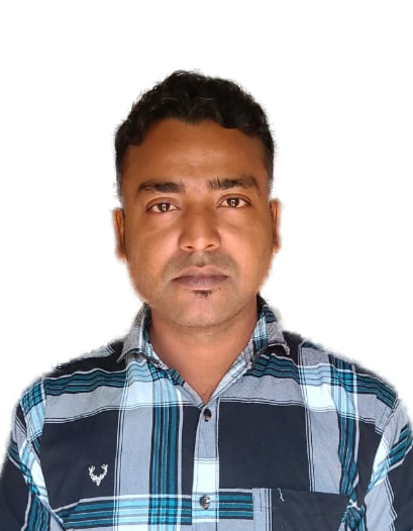
Jakir Hossain
Professional Software Developer
Hello! I'm Jakir, a passionate software developer dedicated to building tools that solve real-world problems. I created iLovePDF Tools Hub to provide a fast, secure, and entirely free platform where anyone can manage their daily digital tasks without the hassle of installing complex software. My mission is to make technology simple, accessible, and highly efficient for millions of users worldwide.